Get in touch
I'm always excited to take on new projects and collaborate with innovative minds.
Phone
Email
support@musaiblone.com
Address
Tujjar Sharif, Sopore, Baramulla District, Jammu and Kashmir, India – [193201]
I'm always excited to take on new projects and collaborate with innovative minds.
support@musaiblone.com
Tujjar Sharif, Sopore, Baramulla District, Jammu and Kashmir, India – [193201]
When you enter "example.com" in your web browser and press Enter, an interesting process unfolds, one that is largely coordinated by DNS. It is a sequence of inquiry and response, an electronic treasure hunt one that takes your browser to the appropriate website.
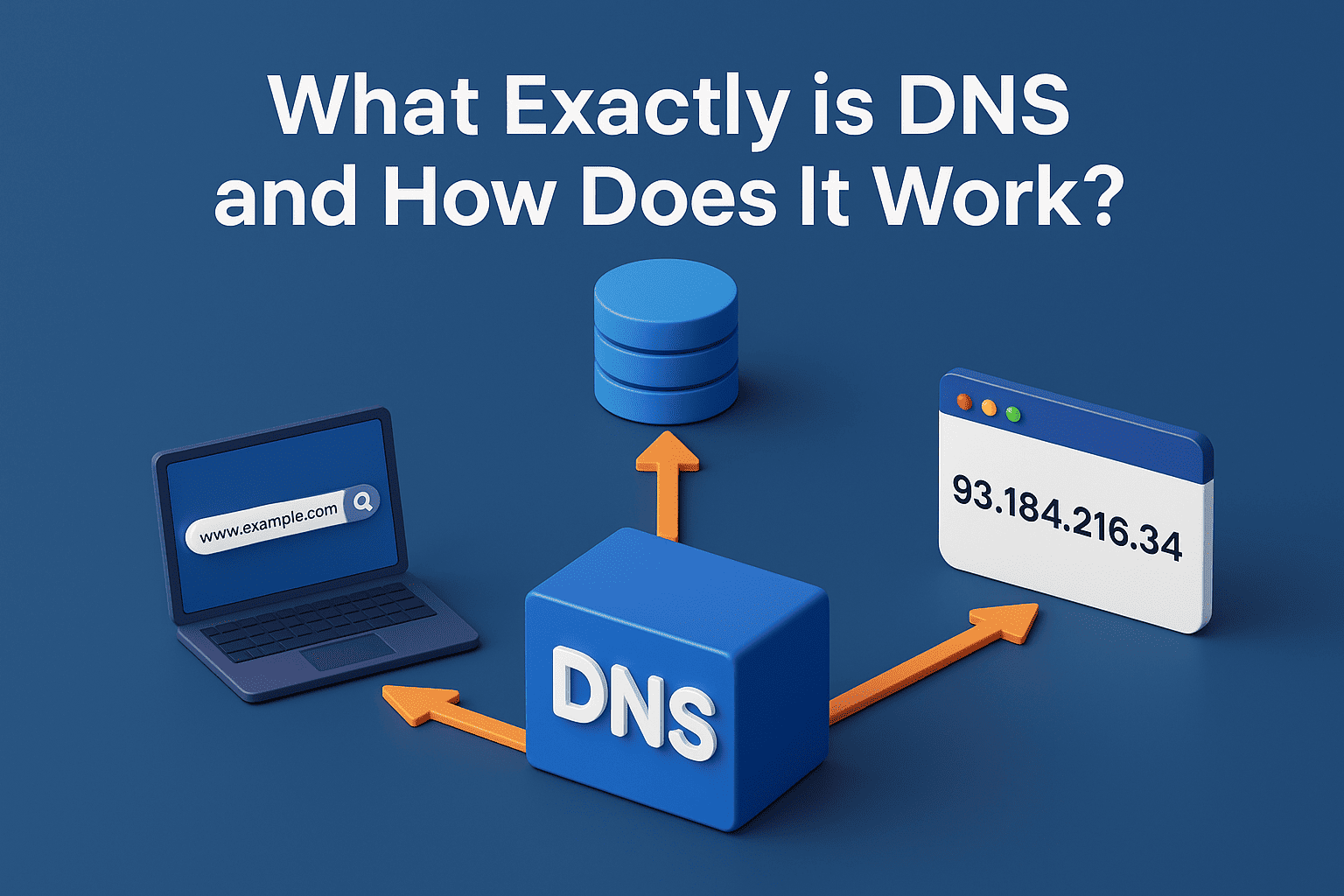
Think about trying to call a friend, but instead of calling them by their name, you had to remember a complicated string of numbers for their phone number. And not only one friend, but all the people you needed to call! Sounds quite inconvenient, doesn't it? Now apply that concept to the whole internet, billions of websites, services, and devices, all requiring a unique numerical address. That's where a truly wonderful system comes in, a system so integral to our experience of the internet that the majority of us never even become aware of it, working silently its magic every time we enter a website's address into our browser. This unsung hero goes by the name of Domain Name System, or DNS.
In its simplest form, DNS is the internet's phonebook. It is an enormous, decentralized database that interprets human-readable website names, such as "google.com" or "facebook.com," into computer-friendly numerical addresses referred to as IP addresses. Similarly, your phone requires a certain number to dial in order to reach your friend, your computer requires a certain IP address (e.g., 172.217.160.142) to find and talk to the server of a website. Without DNS, you would not be able to remember a huge string of numbers for each and every site you wanted to access, and that was never going to happen.
Let's deconstruct how this complex system works, step by step, so you have a better idea of what goes on behind the scenes.
When you enter "example.com" in your web browser and press Enter, an interesting process unfolds, one that is largely coordinated by DNS. It is a sequence of inquiry and response, an electronic treasure hunt one that takes your browser to the appropriate website.
Before you go out into the expanse of the internet, your computer does a few local checks first. First, it checks its DNS cache. This is a temporary buffer on your computer where it stores a history of recent DNS lookups. If you've recently visited "example.com," your computer may well already have its IP address saved, so the process is very rapid. It's like dialing a frequently called number.
If the IP address isn't in the cache, your computer then checks its hosts file. This is a small, local text file that can be used to manually map domain names to IP addresses. While less common for everyday browsing, it's often used by developers or for specific network configurations. If neither of these local sources provides the answer, the real DNS query begins.
If your computer is unable to find the IP address in its local cache, it requests a query from a special server known as a recursive resolver (also occasionally referred to as a DNS resolver). This resolver usually comes from your Internet Service Provider (ISP), although you can set your computer to use public resolvers such as Google Public DNS (8.8.8.8) or Cloudflare DNS (1.1.1.1).
The recursive resolver's role is to do all the hard work for you. It serves as an intermediary, receiving your request and methodically asking other DNS servers on your behalf until it obtains the right IP address. Imagine it as a librarian who knows precisely where to find the information you are seeking, even if they don't have it with them.
The recursive resolver's initial destination in its search is a root name server. There are 13 groups of these servers in the world, designated by letters A through M, and they represent the very pinnacle of the DNS system. They don't know the IP address of "example.com" explicitly, but they do know how to locate the servers that do.
When the recursive resolver queries a root server for "example.com," the root server responds, "I don't know the IP address for 'example.com,' but I can tell you which server is responsible for the '.com' top-level domain." It then returns the IP address of a pertinent Top-Level Domain (TLD) name server.
Having the IP address of the correct TLD name server (in this case, the '.com' TLD server) under its belt, the recursive resolver forwards its query there. TLD name servers handle all domains within a particular extension, .com, .org, .net, .gov, or country-code TLDs .uk or .de.
The '.com' top-level domain name server will not know the actual IP address of "example.com," but it will know which name server is the authoritative name server for the "example.com" domain. It replies to the recursive resolver with the IP address of the authoritative name server for "example.com."
At last, the recursive resolver has arrived at its destination: the authoritative name server for "example.com." These are servers owned by the owner of the domain or their hosting company and contain the final records for that particular domain.
When the recursive resolver asks the authoritative name server for "example.com," it finally receives the answer it's looking for: the true IP address of the server containing the "example.com" site.
With the IP address now in its possession, the recursive resolver sends it back to your machine. Your machine stores the IP address in cache for use at a later time, and your web browser is finally able to connect directly to the "example.com" web server with its IP address.
And voilà, the site appears on your screen! The entire process is accomplished within a matter of milliseconds, usually too fast for you to even notice the elaborate dance between servers and requests going on in the background.
To completely understand how DNS works, it is necessary to know some of its basic elements and terminology:
Domain Name: The web address users can read (e.g., google.com, example.org).
IP Address (Internet Protocol Address): The distinct numerical address given to each device on a computer network that employs the Internet Protocol to communicate. There are two principal versions: IPv4 (e.g., 192.0.2.1) and IPv6 (e.g., 2001:0db8:85a3:0000:0000:8a2e:0370:7334).
DNS Resolver (Recursive Resolver): A server (usually supplied by your ISP) that resolves DNS queries on the behalf of client machines, asking other DNS servers until it receives the requested IP address.
Root Name Servers: The summit of the DNS hierarchy. They refer to the TLD name servers.
TLD (Top-Level Domain) Name Servers: Servers delegated to manage domain names under particular extensions such as .com, .org, .net, .gov, or country codes (.uk, .de).
Authoritative Name Servers: Servers that contain the definitive DNS records for a given domain name. They are the "owners" of the information about a domain.
DNS Records: These are the actual instructions on authoritative name servers that contain information about a domain. Some common ones include:
A Record (Address Record): It maps a domain name to an IPv4 address. This is the most ubiquitous type for websites.
AAAA Record (IPv6 Address Record): Records a domain name to an IPv6 address.
CNAME Record (Canonical Name Record): To alias one domain name to another. For instance, "www.example.com" could be a CNAME for "example.com".
MX Record (Mail Exchange Record): Designates the mail servers that are authoritative for receiving mail for a domain.
NS Record (Name Server Record): Designates which name servers are authoritative for a domain.
TXT Record (Text Record): Provides a way for administrators to insert arbitrary text into a DNS record, commonly utilized for verification or security reasons (such as SPF or DKIM for email verification).
Caching: Temporary caching of the results of a DNS query. This greatly accelerates future lookups on the same domain. Caching is performed at multiple layers: your web browser, your operating system, and the recursive resolver.
Time-to-Live (TTL): A number (in seconds) that applies to a DNS record and instructs caching resolvers to retain a record for how long (until they lookup a newer one). The larger the TTL, the quicker lookups but more sluggish modifications.
DNS is not merely a luxury; it's a darn important piece of infrastructure for the internet. Here's why:
Usability: Without DNS, the internet would be virtually unusable for the masses. It is not possible to memorize IP addresses for all websites.
Scalability: DNS's distributed nature makes it possible to scale to support billions of domain names and trillions of requests per day. No individual server could possibly support this volume.
Resilience: Because DNS is redundant and distributed, there isn't a point of failure. When one DNS server fails, others can take over.
Flexibility: DNS enables the website owner to switch hosting provider or server IP address without users having to renew their bookmarks. The DNS records are updated instead, and the changes trickle through the system.
Security: While not inherently a security protocol, DNS is a crucial component in many internet security measures, such as DNSSEC (DNS Security Extensions) which helps protect against DNS spoofing and other attacks.
The original design of DNS was incredibly robust, and it has served us well for decades. However, as the internet has grown and evolved, so too have the demands placed on DNS.
DNSSEC (DNS Security Extensions): A collection of security extensions that include cryptographic signatures in DNS records. This is used to guarantee that the DNS data delivered to a resolver is genuine and has not been compromised, safeguarding against threats such as DNS cache poisoning.
DNS over HTTPS (DoH) and DNS over TLS (DoT): These newer protocol encrypt DNS queries, making them secure and private. DNS queries normally travel in plain text, which means anyone sniffing your network traffic may know which websites you're attempting to access. DoH and DoT encrypt such traffic, improving user privacy.
IPv6 Adoption: With IPv4 addresses running out, the internet is gradually shifting to IPv6. DNS plays an important part in this, as it must correctly resolve A (IPv4) and AAAA (IPv6) records.
Overall, DNS is a distributed computing wonder, a quiet workhorse that supports our entire online existence. It's the unseen bridge between the human craving for names that stick in the memory and the machine's preference for exact numerical addresses. The next time you zip to a website, spare a thought for the intricate, yet beautiful, system of DNS working behind the scenes to ensure the internet is as user-friendly and accessible as possible. It's a testament to the brilliance of early web architects, and the fact that it continues to evolve guarantees it will remain a building block of our online world for years to come.
Your email address will not be published. Required fields are marked *